
- What “Best” Means for a Wholesale Business (And a Roadmap to Get There)
- Middleware, Native Connector, or Custom Build? Choosing Your Architecture
- What to Actually Evaluate When Comparing Connector Options
- How the Leading Options Actually Compare
- Real-Time Sync vs. Scheduled Batch: Which Model Fits Wholesale Operations
- Handling the B2B-Specific Complexity: Pricing, Terms, and Tax
- Field-Level Data Mapping: Getting Orders, Customers, and Products Right
- Multi-Location Inventory, 3PL, and Fulfillment Complexity
- Keeping the Integration Trustworthy After Go-Live
- Automating the Full Order-to-Cash Cycle, Including Returns
- Is It Worth It? ROI, KPIs, and the Business Case
- Getting the Rollout Right, By Situation
- frequently Asked Questions
- Bringing It All Together
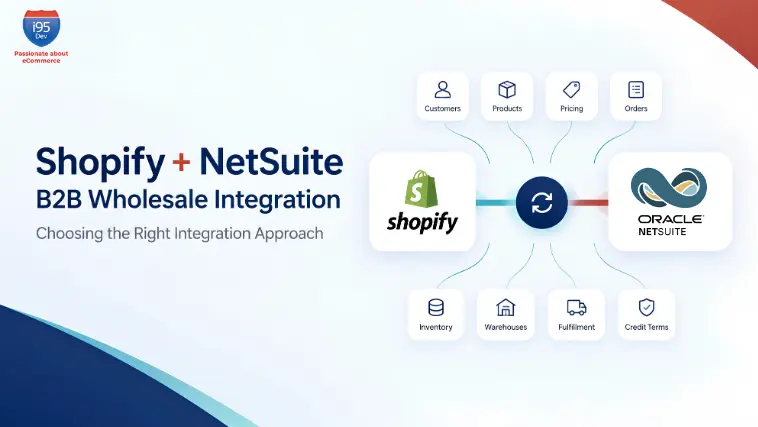
If you’re a mid-market wholesale distributor running Shopify or Shopify Plus on the front end and NetSuite on the back end, you already know the theory: orders should flow into NetSuite automatically, inventory should flow back out, and nobody should be re-keying anything. The reality, for most wholesale businesses, is messier: a connector that handles standard DTC orders fine but falls over the moment net terms, tiered pricing, or a 3PL enters the picture.
That gap is what this guide is about. Not whether Shopify integrates with NetSuite (it does, in several different ways), but the best way to integrate Shopify with NetSuite specifically for a B2B wholesale operation, where pricing is negotiated per account, customers pay on terms instead of at checkout, and a stockout doesn’t just annoy one shopper. It breaks a standing order with a distributor you’ve worked with for eight years.
What “Best” Means for a Wholesale Business (And a Roadmap to Get There)
For most B2B wholesale companies, the best way to connect Shopify to NetSuite is a middleware or iPaaS-based integration: either a purpose-built connector or a managed integration platform, rather than a bare-bones native app or a fully custom build from scratch. It gives you enough prebuilt logic to move fast, enough configurability to handle wholesale-specific rules, and a vendor who owns ongoing maintenance instead of your internal team.
Getting there follows a fairly consistent sequence, regardless of which connector or partner you choose:
- Discovery and requirements mapping – cataloging every entity that needs to sync (orders, customers/companies, price levels, inventory locations, fulfillment, payments) and every B2B-specific rule layered on top of it.
- Data mapping and cleanup – resolving how Shopify fields map to NetSuite records, and cleaning up inconsistent item records, duplicate customers, or non-standard field usage in NetSuite before the integration goes live. (This step is frequently underestimated and is the biggest cause of delayed go-lives.)
- Configuration or development – setting up the connector’s prebuilt flows, or building custom logic for anything the standard mapping doesn’t cover.
- Testing – running real order scenarios end-to-end, including edge cases like partial payments, split shipments, and returns.
- Go-live and monitoring – cutting over, watching sync health closely in the first weeks, and having a rollback or reconciliation plan ready.
Cost and timeline both scale with complexity (see the FAQs below for typical implementation timeframes). On budget, implementation costs for mid-market wholesalers commonly range from the low five figures for a configured connector to well into six figures for a fully custom build, and the real total cost of ownership includes not just the initial build but ongoing platform fees, developer hours for maintenance, and the internal time needed for testing and go-live support. Budget internal resources too: someone from operations who understands the order lifecycle, someone with NetSuite admin access, and, for anything beyond a standard connector, a technical resource who can validate API-level mapping.
Middleware, Native Connector, or Custom Build? Choosing Your Architecture
Every Shopify-to-NetSuite project runs into the same fork early on: connect the two systems with a basic native tool, license a middleware/iPaaS platform, or build something custom. (Weighing Zapier, EDI, or NetSuite’s own SuiteCommerce platform against this decision too? Those are covered in the FAQs below.)
Native connectors are the fastest and cheapest way to get basic order, inventory, and customer sync running, and a reasonable starting point for simple, standard, lower-volume flows. Most B2B wholesale operations outgrow their generic ecommerce logic quickly, though. More on why in the FAQs.

Middleware/iPaaS platforms sit between Shopify and NetSuite as a dedicated integration layer, handling field mapping, transformation, error handling, and retries in one place. This is why middleware is generally chosen over a custom API integration for wholesale companies: it gets you to production faster than custom code, it’s maintained by a vendor instead of your internal team, and it comes with prebuilt handling for the entity types (orders, price levels, fulfillments) that a from-scratch build would have to reinvent. The trade-off is some loss of control and, depending on the platform, a learning curve for anything outside its standard templates. One thing worth weighing here that’s easy to miss: a self-service platform still concentrates the knowledge of how your integration actually works in whoever built and configured it. If that person leaves, you inherit the same key-person risk usually associated only with custom code.
Custom API integration (built directly against Shopify’s API and NetSuite’s SuiteTalk/SuiteScript layer) makes sense when your business logic is genuinely unique enough that no connector or platform can model it: highly specific pricing engines, proprietary fulfillment logic, or deep customization of the NetSuite data model. It gives you full control and no platform dependency, but it comes with the highest upfront cost, the longest time to launch, and all of the ongoing maintenance burden landing on your team, or whichever developer built it, which creates the same key-person risk in its most acute form.
What to Actually Evaluate When Comparing Connector Options
The Shopify-NetSuite integration market has no shortage of options: native SuiteApps, generic enterprise iPaaS platforms, mid-market connectors, and managed, wholesale-specific solutions. Rather than chasing a feature-list comparison (most vendors will check the same boxes on a spec sheet), the evaluation that actually predicts success comes down to five questions:
- Is B2B logic native, or bolted on? Company accounts, credit limits, net terms, price levels, and multi-warehouse inventory are either handled natively by the connector, or they’re something your team has to custom-configure on top of a generic ecommerce-sync template. The second path is where most wholesale integrations quietly run over budget.
- Who owns ongoing maintenance? A configurable platform hands you the tool and expects your team (or a hired consultant) to build, test, and maintain flows indefinitely. A managed integration means implementation, monitoring, and incident response stay with the provider, which matters most at 11 p.m. during a peak-season order spike.
- How does it behave under real order volume, not demo volume? Ask specifically how the connector handles Shopify’s API rate limits, high-frequency inventory updates across multiple warehouses, and conflict resolution when two systems update the same record close together, not just whether it can sync a handful of test orders.
- What’s the real total cost of ownership? Beyond the initial setup fee, factor in usage-based pricing scaling with transaction volume, the developer hours needed to patch and maintain custom flows, and the cost of migrating again in 18 months if the platform doesn’t scale with a second sales channel or a B2B portal.
- How fast can you actually go live, and how much of that timeline is your team’s time? A fast implementation quote means little if most of the mapping, testing, and troubleshooting work still falls on your operations and IT staff.
How the Leading Options Actually Compare
Rather than take any vendor’s word for it, here’s how the most commonly evaluated options stack up against those five questions, based on each vendor’s own published information and independent capability tracking.
| FarApp (NetSuite Connector) | Celigo | Boomi | Jitterbit | i95Dev Connect | |
|---|---|---|---|---|---|
| B2B logic: built in, or built by you? | Designed for standard B2C sync. Wholesale pricing and approval rules aren’t supported, so they’re handled outside the connector entirely. | Ships a B2B template. Your team still configures the account, pricing, and terms logic on top of it. | No B2B template. Your team or a partner scripts the pricing and terms logic from scratch. | Same gap as Boomi. B2B rules are built through your team’s or a partner’s scripting. | Company accounts, credit limits, net terms, and multi-warehouse logic ship working on day one. |
| Who’s on the hook when it breaks | You. The connector logs the error and stops there. | Most routine errors self-resolve. Anything unusual still lands on your team. | Your team, using Boomi’s own monitoring tools. | Your team. | i95Dev’s team, as part of the service. |
| Time to live | Quick for basic sync, then stalls once B2B complexity shows up. | 2–4 weeks for a simple setup, 6–8 for real B2B, plus your team’s build time. | 1–3 months, and someone has to be hired or contracted to build it. | 1–3 months of build time. | 1–4 weeks, start to finish. |
| What it actually costs* | Cheapest license here, but wholesale-grade pricing and terms usually mean bolting on a second tool later. | $15K–$40K/year platform fee, before your team’s or a consultant’s build hours. | ~$129K/year at enterprise scale, plus the engineer to run it. | Mid-tier platform fee, plus build hours. | One number. Build and ongoing operations are both in it. |
| Security & compliance | Not verified in our research. Confirm with Oracle directly. | Not verified in our research. | Not verified in our research. | Not verified in our research. | SOC 2 certified. |
| If you need to walk away | Rebuild elsewhere. You never owned the logic to begin with. | Your flows live inside Celigo’s platform. Leaving means rebuilding them somewhere else. | Same exposure as Celigo, at a higher cost of rebuild. | Same exposure as Celigo. | You can scale support up or down without rebuilding the integration underneath it. |
*Cost figures are third-party estimates from public pricing pages and industry benchmarks as of 2026, not vendor quotes. Confirm current pricing directly with each vendor before using these numbers externally.
Boomi and Jitterbit are built to orchestrate many systems at once, and i95Dev Connect does the same, extending beyond NetSuite to CRM, PIM, and marketplace systems. Where they’re general-purpose platforms you configure yourself, i95Dev ships the Shopify-NetSuite logic already built.
This is precisely where i95Dev Connect is built differently. Instead of a configurable template that your team assembles and maintains, i95Dev Connect delivers Shopify and Shopify Plus integration with NetSuite across 200+ touchpoints, with wholesale-specific functionality (company accounts, sales quotes, credit limits, net terms, multi-warehouse inventory, and partial fulfillments) native to the connector from day one. Implementation, monitoring, and support are fully managed by a dedicated i95Dev team, so standard go-lives happen without your team owning the technical infrastructure long-term. If you’re currently comparing a self-managed platform against a fully managed alternative, our detailed FarApp vs. i95Dev Connect comparison walks through that trade-off in more depth.
Real-Time Sync vs. Scheduled Batch: Which Model Fits Wholesale Operations
Once you’ve picked an architecture, the next decision is how data moves: real-time webhook/API sync, or scheduled batch synchronization.
Real-time sync uses webhooks and API calls to push updates the moment an event occurs: an order is placed, a payment is applied, inventory changes. Batch sync collects changes and pushes them on a schedule, whether every few minutes or overnight.
For most wholesale operations, real-time sync is the right default for anything revenue-critical: orders, inventory, and payment status, because delays in these areas directly cause overselling, delayed order acknowledgment to B2B accounts, and inventory contention when the same SKU is being sold across multiple channels or company accounts simultaneously. Batch sync remains a perfectly acceptable choice for lower-priority, lower-volume data, such as catalog metadata refreshes or historical reporting, where a short delay carries no real business risk.
Two technical constraints shape this decision in practice. First, Shopify’s API rate limits: on non-Plus plans especially, high-frequency syncing of large catalogs or real-time customer data can hit rate limits during peak order volume, which is one of several reasons wholesale brands running meaningful B2B volume are usually better served on Shopify Plus, with its higher API limits. Second, conflict risk at scale: when order volume is high enough that the same inventory record could be updated from more than one place at nearly the same moment, your integration needs proper event sequencing and conflict handling, not just fast syncing, or you’ll trade a batch-sync delay problem for a real-time race-condition problem.
Handling the B2B-Specific Complexity: Pricing, Terms, and Tax
This is where generic ecommerce integration guides stop being useful, and where a wholesale-specific integration earns its cost.
Tiered pricing and customer-specific catalogs. In NetSuite, account-specific pricing lives on the customer record as price levels; in Shopify Plus, it’s implemented through B2B catalogs and price lists assigned to company profiles. A properly configured integration reads the correct NetSuite price level for each account and writes it into that customer’s Shopify catalog, keeping both in sync when pricing changes. This is also where volume-based discounts (100+ units at one price, 500+ at another) and location-specific catalogs (excluding certain SKUs for certain accounts) need to be mapped carefully; standard, non-wholesale-aware connectors frequently skip this logic entirely.

Net terms and credit limits. B2B buyers commonly pay on Net 30, Net 60, or Net 90 terms rather than at checkout, which breaks the assumption most standard integrations make: that a Shopify order equals an immediate payment event to reconcile against. Your integration needs to handle orders placed on terms as a distinct workflow: syncing the sales order to NetSuite immediately for fulfillment, while tracking payment status separately and updating it in Shopify as payments are received, including partial payments and deposits. Credit limits need similar handling. The integration should reflect a customer’s available credit and terms accurately on both sides, so an order isn’t fulfilled against an account that’s already over its limit.
Tax and cross-border compliance. NetSuite’s SuiteTax module governs how tax is calculated and recorded on the ERP side, and your integration needs to ensure Shopify checkout tax calculations and NetSuite’s SuiteTax logic produce consistent, reconcilable results, especially for wholesale businesses selling cross-border, where VAT and other jurisdiction-specific rules add another layer that generic connectors often don’t handle well out of the box.
Field-Level Data Mapping: Getting Orders, Customers, and Products Right
Underneath every wholesale integration is a schema-mapping exercise that determines whether the whole thing actually works under real-world conditions.
On the order side, Shopify order objects, including line items, discounts, and applied taxes, need to map cleanly to NetSuite sales orders, with subsequent fulfillment updates mapping to NetSuite item fulfillment records. Edge cases matter here: bundled or kitted items, custom line-item attributes, and wholesale-specific fields like minimum order quantities and account manager assignments all need explicit mapping decisions made before go-live, not discovered afterward.
On the customer side, NetSuite’s parent/subcustomer hierarchy, and subsidiary structure for multi-entity accounts, needs to map to Shopify B2B’s Company and Company Location entities, so that each buyer within a company account sees the correct catalog, pricing, and terms tied to their specific location, not a single flattened customer record that loses that structure.
On the product side, SKU and product data mapping deserves its own pass: consistent SKU formatting, unit-of-measure handling, and custom attribute mapping between systems prevent a large share of the sync errors that show up weeks after go-live rather than during testing. NetSuite saved searches are frequently the practical mechanism used to extract and structure this data cleanly for export into the integration layer, and they’re worth setting up deliberately rather than as an afterthought.
Multi-Location Inventory, 3PL, and Fulfillment Complexity

Wholesale businesses rarely ship from a single location, which means inventory sync has to account for more than one warehouse, and often a third-party logistics (3PL) provider as well.
The integration needs to model each fulfillment location in both systems, aggregate or route available inventory correctly so the storefront reflects accurate combined (or location-specific) stock, and coordinate with 3PL systems, including ASN (advance shipping notice) and EDI data where required, so that inbound and outbound inventory movements are reflected without manual reconciliation.
Two related problems show up constantly at this stage of complexity: inventory contention, where the same unit of stock could be allocated to more than one order across locations or channels, and split shipments, where a single order fulfills from multiple warehouses and needs to sync back to the customer as coherent, trackable shipments rather than confusing partial updates. Partial shipments and backorders need equivalent handling: when an order can only be partially fulfilled, both systems need to reflect what shipped, what’s backordered, and when the remainder is expected, without creating duplicate or orphaned order records.
Keeping the Integration Trustworthy After Go-Live
An integration that works during testing and breaks quietly six months later is arguably worse than no integration at all, because by the time anyone notices, bad data has already propagated.
Reliable data integrity after go-live depends on a few specific safeguards: reconciliation processes that regularly compare order, inventory, and payment records between Shopify and NetSuite to catch drift before it compounds; duplicate prevention logic (particularly around retried API calls or webhook redeliveries, which can otherwise create duplicate sales orders); automated error alerts so a failed sync is flagged immediately rather than discovered by a customer service ticket; and clear error-handling and troubleshooting workflows for the common failure points: mismatched SKUs, expired API tokens, rate-limit throttling, and payment status conflicts on orders placed on terms.
Given how much sensitive B2B customer data flows through this pipeline, negotiated pricing, credit terms, company account details, security deserves explicit attention too: data in transit between Shopify and NetSuite should be encrypted, API credentials should be scoped and rotated according to your security policy, and any integration partner or platform handling this data should be able to speak clearly to their compliance posture, not just their sync speed. i95Dev Connect is SOC 2 certified, and production issues are responded to within 24 hours as part of the managed service.
Automating the Full Order-to-Cash Cycle, Including Returns
The core value of the integration is automating the order-to-cash process: a Shopify B2B checkout should automatically generate a NetSuite sales order, without manual re-entry, carrying accurate pricing, terms, and customer/company data with it. That automation needs to extend to the back end of the transaction lifecycle too. Returns and RMAs initiated on either system should sync cleanly, updating inventory, triggering any applicable credit memos in NetSuite, and reflecting accurate status back to the customer in Shopify, rather than requiring manual cleanup that erodes the very efficiency the integration was built to deliver.
Is It Worth It? ROI, KPIs, and the Business Case
For the finance stakeholders who ultimately approve this project, the return on a Shopify-NetSuite integration for B2B wholesale shows up in a fairly predictable set of KPIs: reduced order-to-cash cycle time, lower fulfillment cost per order (from eliminating manual data entry and error correction), reduced days sales outstanding (DSO) from faster, more accurate invoicing on terms-based orders, and measurable reduction in inventory carrying costs from more accurate, synchronized stock visibility across locations. (See the FAQs below for what payback typically looks like.)
Getting the Rollout Right, By Situation
The right first move differs depending on what you’re solving for:
- Rolling this out without disrupting an active operation matters more than launching fast. Prioritize a phased approach, core order and inventory sync first, then layer in more complex pricing and multi-warehouse logic, with a clear cutover plan and a defined rollback path.
- Signing off on the budget? Ask any vendor or partner for concrete KPI benchmarks and a realistic total cost of ownership, not just an implementation quote, since ongoing platform and maintenance costs are where budgets typically get surprised.
- Vetting a technical partner? Look past feature lists and ask pointed questions about how the platform handles NetSuite-specific edge cases, what happens during peak-volume events like a flash sale, and who owns the response when something breaks at 11 p.m. on a month-end close.
- Moving off manual data entry for the first time? Expect the biggest challenge to be change management, not technology: training the team to trust the automated flow, rather than continuing to manually double-check every order out of habit.
frequently Asked Questions
Bringing It All Together
There’s no single connector or platform that’s automatically “best” for every wholesale business. The right choice depends on order volume, how many systems you’re connecting, how much B2B pricing and terms complexity you carry, and how much you want to own internally versus hand off to a partner. But the pattern across a well-run implementation is consistent: real-time sync where it’s revenue-critical, wholesale-specific pricing and terms logic handled natively rather than bolted on, accurate multi-location inventory, and reconciliation safeguards that catch problems before customers do.
This is exactly the kind of integration i95Dev builds for wholesale and distribution businesses running Shopify and Shopify Plus. i95Dev Connect supports Shopify and Shopify Plus integration with NetSuite across 200+ touchpoints, with B2B-specific functionality, company accounts, sales quotes, credit limits, net terms, multi-warehouse inventory, partial fulfillments, and returns, built into the connector rather than requiring custom development on top of a generic platform. Standard implementations go live in as little as one to four weeks, fully managed by a dedicated team from onboarding through post-go-live support, so your operations team owns the business relationship instead of the technical infrastructure. i95Dev has done this for 450+ businesses across 25+ industries in 15+ countries.
If manual order entry, pricing errors, or inventory mismatches between Shopify and NetSuite are already costing your operations team real hours every week, it’s worth a conversation before the next peak season makes the cost bigger. Talk to an i95Dev Shopify–NetSuite integration specialist and get a straight answer on the right architecture, realistic timeline, and expected cost for your specific wholesale operation.