

You run Shopify or Shopify Plus on top of Microsoft Dynamics 365 Business Central, and for a while, it just works. Then order volume climbs, a B2B account needs pricing the storefront can’t show correctly, or a release wave ships and something quietly stops syncing. Now you’re deciding between three real options, usually without a clear sense of which one fits where your business actually is.
This guide covers what actually breaks in a Shopify–BC sync, what should and shouldn’t sync, what staying manual costs, and how to choose a partner if you decide to move off the free connector.
Business Central ships with a free native Shopify connector, included in every subscription. It handles core order, inventory, and product sync well.
Where it tends to fall short: complex B2B pricing, multi-warehouse routing, multi-store setups, and staying functional through Business Central’s twice-yearly release waves.
Most merchants end up choosing between three paths: the native connector, a point-to-point Shopify App Store connector, or a managed integration
The real decision: three paths, not one
The native connector is free, built and maintained by Microsoft, and solid for standard order, inventory, and product sync. The catch: it’s built for general-purpose scenarios. When a release wave changes something underneath your integration, there’s no vendor to call.
App Store connectors are usually faster and cheaper to set up. But most are built as generic “Dynamics 365” tools, not Business Central-specific ones. That distinction matters, since Dynamics 365 also covers Finance & Operations, a different product with a different data model. Error handling tends to be thin, too: syncs fail quietly, and you find out something’s wrong when a customer emails about it.
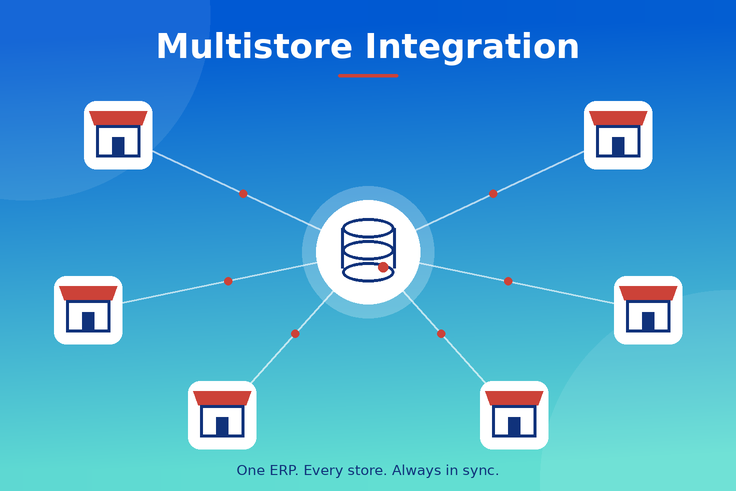
A managed integration costs more upfront, but the ownership shifts. Someone else is responsible for field mapping, error visibility, and keeping things working through release waves. This is the option that holds up as B2B pricing gets more complex, or once you’re running multiple warehouses or multiple stores. See i95Dev’s Microsoft Shopify Connector for what a managed setup actually includes.
| Native connector | App Store connector | Managed integration | |
| Cost | Free (included with BC) | Low, usually monthly | Medium – High depending on business complexity, ownership included |
| Who maintains it | Nobody, in practice | You, when it breaks | The vendor |
| Built for BC specifically? | Yes | Often generic “Dynamics 365” | Yes, including extensions |
| Handles B2B pricing, multi-warehouse | Partially | Rarely | Yes |
| Best fit | Single-store, low-SKU D2C | Simple, low-volume stores testing the waters | High-volume customers, B2C Complex use cases, B2B-heavy, multi-warehouse, or multi-store |
A single-store, low-SKU D2C business can run comfortably on the native connector for a long time. B2B-heavy, multi-warehouse, or multi-store businesses tend to outgrow it faster than expected, usually right as order volume starts climbing. See a side-by-side comparison of the native connector vs. a managed integration for what changes at each stage.
What actually breaks in a Shopify–Business Central sync
Most BC setups run ISV apps or custom extensions on top of the standard product. A generic connector maps to standard fields, so if extensions have changed how pricing, inventory, or customer records are structured, syncs can quietly write to the wrong place, or stop syncing that data at all.
“Dynamics 365” doesn’t always mean Business Central. BC and Finance & Operations don’t share a data model, so confirm a connector was built for BC specifically rather than adapted from an F&O integration.
If you migrated from NAV or GP, custom fields and workflows from the old system often surface as a problem only after go-live, when a sync handles standard data fine but mishandles anything customized.
Business Central ships major updates twice a year. A connector that isn’t actively maintained through those releases can lose functionality without warning. This is probably the single most common reason an integration that worked fine for months suddenly stops. i95Dev’s deep dive on why integrations fail in practice covers this pattern in more depth.
What should (and shouldn’t) sync
- Always sync: product catalog, inventory, orders and order status, and customer records.
- Depends on your setup: returns, promotions, multi-warehouse allocation, and B2B account data such as credit terms and negotiated pricing.
- Keep out of the integration entirely: GL entries, internal cost fields, and supplier pricing.
Where the free connector’s ceiling actually sits
Native B2B catalog features cover tiered pricing reasonably well, but not account-specific negotiated pricing showing up correctly at checkout for a logged-in buyer.
Inventory levels sync fine, but routing an order to the right warehouse based on stock or shipping zone is a layer most connectors don’t own.
Credit terms and account hierarchies (a parent account with multiple buyers, for instance) are specialized enough that most tools, including the native one, treat every buyer as a standalone consumer account.
If none of that applies to how you sell, the ceiling may never matter to you. If two or more do, map it out before you build more of your operation on top of the current setup.
a short call is usually enough to tell.
Migrating from NAV or GP? It’s a rebuild, not a reconfiguration
The business logic carries over conceptually, since BC was designed as NAV’s direct successor. What doesn’t carry over is the technical integration. NAV and GP use different APIs and data structures than BC, so an existing Shopify connector needs to be rebuilt against BC’s API, not just repointed at a new system.
If you’re running Shopify on NAV or Shopify on GP today and BC is next, plan that rebuild before cutover, not during it.
The real cost of staying manual
A quick way to put a number on it:
Weekly manual cost
= (hours/week on manual reconciliation × loaded hourly rate)
+ (estimated weekly errors × average cost per error)
Annual cost of staying manual = weekly manual cost × 52
This number tends to grow faster than order volume, because reconciliation work scales with complexity (more SKUs, more warehouses, more B2B accounts), not just revenue. i95Dev’s integration ROI calculator runs this with your actual order volume and error rate if you want a precise number.
Building the business case
If you need to justify the spend internally, a simple structure helps: current-state cost from the formula above, revenue at risk from stockouts or pricing errors, the cost of whichever path you’re considering, the resulting payback period, and what happens if the reconciliation burden keeps climbing while you wait.
i95Dev’s integration requirements template is a reasonable starting structure for putting this on paper.
Five questions to ask before picking a partner
- Is this connector purpose-built for Business Central, or adapted from an F&O integration?
- Who owns updates when the next release wave ships, you or them?
- What does error visibility actually look like: real-time alerting, or you find out from a customer?
- Do they have reference customers on Shopify plus Business Central specifically?
- How would they handle your actual complexity, not just standard sync?
- If a vendor can’t answer the second and third questions with something concrete, that’s usually the clearest early signal. A fuller version of this evaluation is in i95Dev’s eCommerce vendor evaluation checklist.
ERP as master, Shopify as master
If you’re the one scoping the technical side of this, ownership of each data type is worth pinning down early: Business Central is the master for product and pricing data. Shopify is the origin for orders, with BC as the system of record for fulfillment and accounting. Customer records depend on your model: Shopify origin for D2C, BC master for B2B accounts with negotiated terms or hierarchies.
What a managed integration includes
A managed Shopify–Business Central integration, like i95Dev Connect, typically adds bidirectional sync instead of a one-way feed, an error queue with retry and alerting, ownership of release-wave maintenance, and field mapping built for BC’s extension model specifically — along with support for multi-warehouse routing, B2B account pricing, and multi-store setups.
How long does it take to go live?
The native connector is ready immediately, but limited to what it’s built for. App Store connectors set up fast, though setup speed doesn’t say much about ongoing maintenance.
For a managed integration, i95Dev’s own numbers put a standard connector setup at 4 to 6 weeks, with timelines extending for custom workflows, multi-entity or multi-currency setups, or historical data migration. Cost scales with store complexity and customization, and i95Dev scopes it with a quote after a short discovery call rather than a flat rate.
Proof: what this looks like in practice
Fechheimer’s eCommerce platform manager, Tony Kiefer, credited i95Dev’s team with keeping their environments current and on schedule through version upgrades.
More Business Central and Shopify success stories are worth a look if you want to see this from a few different angles before deciding.
Three steps if you’re ready to move
- Map your setup against the ceiling checklist above — B2B pricing, multi-warehouse, multi-store. Two or more, and it’s worth a conversation.
- Get a scoped quote after a short discovery call — no cost, no obligation, and you’ll know the real timeline for your specific stack.
- Go live on a connector built for Business Central specifically, with someone else owning the next release wave.
Frequently Asked Questions
Conclusion
Business Central and Shopify already work together out of the box. What matters is whether the free connector’s ceiling matches where your business actually is — and if it doesn’t, whether you’re set up to find that out before or after something breaks.