
- What is multi-store integration, in plain terms?
- Multiple storefronts vs multiple stores: how does each map to one ERP?
- What changes when you go from one location to several, and why do you end up updating three systems?
- What data syncs between POS and ERP, the website, and your stores?
- How do you get one source of truth for stock, price, customer, and the sale?
- What are the four multi-store setups, and which stacks use each?
- How do Shopify, Adobe Commerce, and BigCommerce handle physical stores?
- How do NetSuite, Dynamics 365, and SAP Business One differ for stores?
- What needs real-time stock and price, and what's fine on a schedule?
- How is a distributor with branch counters different from a retail chain?
- What happens when a store loses its internet connection?
- How do you connect multiple stores to ERP so store #7 is setup, not a new project?
- When don't you need multi-store ERP integration yet?
- How i95Dev helps: multiple stores, one ERP, one answer
- Frequently Asked Questions
- The multi-store integration series
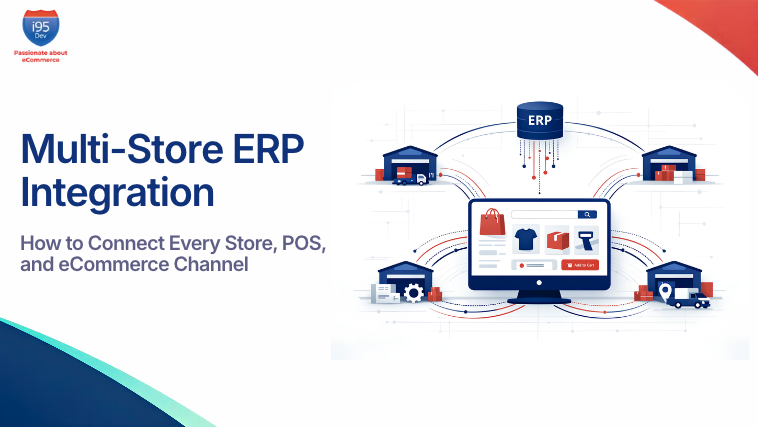
A customer checks your website on her lunch break. It says the jacket is in stock at your Main Street store. She drives over after work. It sold at the register at 11 a.m., and nobody told the website.
If you run stores, a website, and an ERP, you have probably heard some version of this from your own team: “We run two systems and they never agree.” Or the finance version: “Finance has one view, sales has another, eCommerce has a third.”
Multi-store ERP integration is how you stop that. Adding stores doesn’t make integration hard because there are more records. It’s hard because stock, price, customer, and the sale now have more than one possible owner. The website thinks it knows what’s in stock. So do the registers. So does the ERP. When they disagree, the customer finds out first.
This guide is for IT, operations, and eCommerce teams who need to connect multiple stores to ERP and an online storefront, whether those locations are retail shops, distributor branches, or fulfillment sites. It covers what syncs, the four common setups, how the major ERP and commerce platforms handle stores, and how to make store #7 a setup task instead of a new integration project. If you are earlier than that, our ERP eCommerce integration guide covers the single-store basics.
What is multi-store integration, in plain terms?
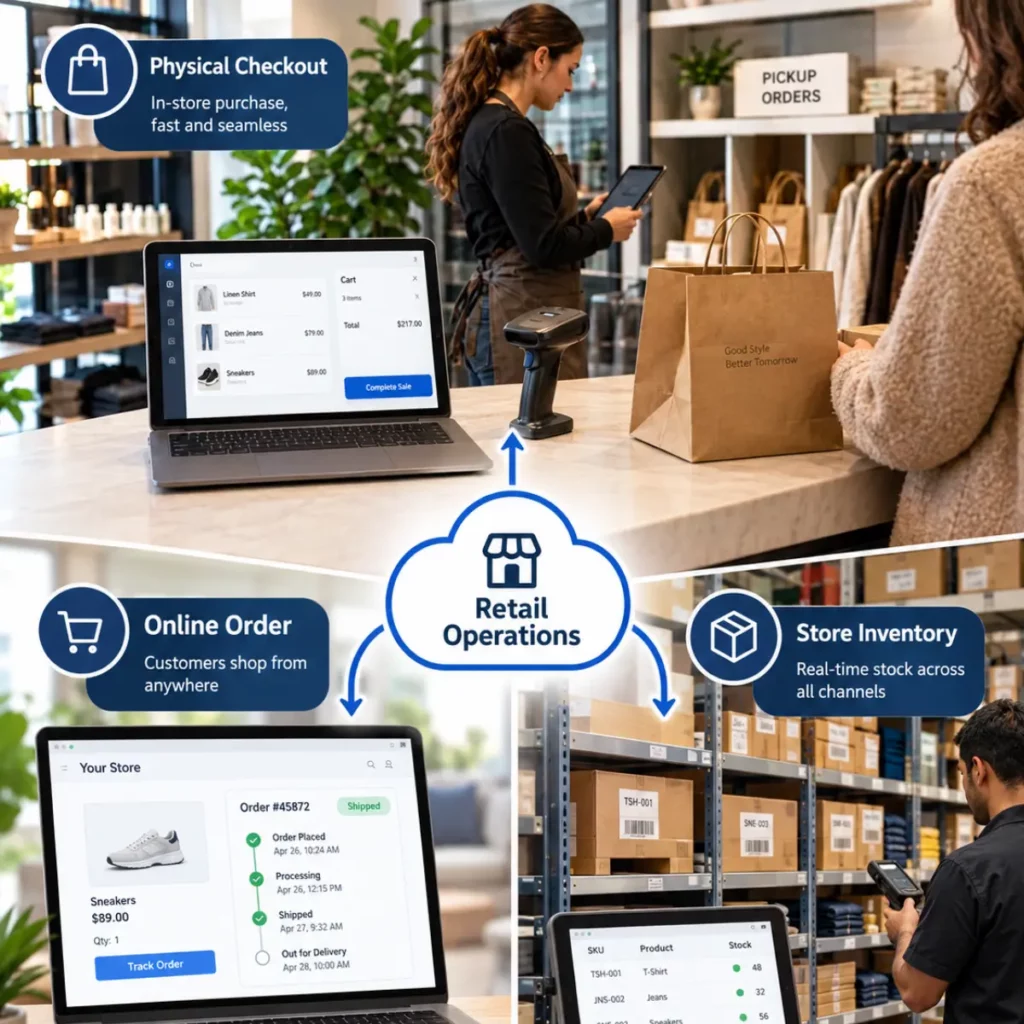
Multi-store integration is POS, ERP, and eCommerce integration. It gives your ERP, your online store, and every location with a register one shared answer for stock, price, customer, and each sale. Each of those four things gets one owning system. The others read from it or report to it, on a timing that fits the data.
The phrase gets used for three different situations, and vendors don’t always say which one they mean. Before you compare anything, work out which of these you actually have. Many businesses have two of them at once.
| What people mean | Example | What the ERP has to map | Hard part |
|---|---|---|---|
| Physical stores or branches with registers | 12 shops, or 6 distributor branches with trade counters | Each store as a location, its sales, tenders, returns, transfers | Store operations: end of day, cash, offline selling, counter pricing |
| Multiple online storefronts | A B2C site and a B2B site, or one site per brand or country | Each storefront to a company, currency, price list, and warehouse | Publishing the right catalog and prices to each site |
| Multiple stock locations inside one storefront | One Shopify store fulfilling from two warehouses and three shops | Each ERP warehouse or store to a platform location ID | Showing sellable inventory per location, not one blended number |
This guide is mostly about the first situation, because that’s where the hard questions are. But you can’t design it in isolation from the other two, so we cover them as well.
One warning comes up in almost every project. “My platform supports multiple locations, so multi-store is covered” is the first of the ten misconceptions we see. Stock locations inside a storefront aren’t store operations. Transfers, receiving, counts, end of day, and cash still need a home.
Multiple storefronts vs multiple stores: how does each map to one ERP?
Multiple online storefronts are a catalog and pricing problem: each site needs the right products, prices, currency, and stock pool from one ERP. Multiple physical stores are an operations problem: each location sells, takes cash, receives, transfers, and closes the day. Most mid-market businesses with stores also run more than one storefront, so plan both together.
Why companies run several storefronts
The usual reasons are brands, regions, and audiences:
- A manufacturer sells its own brand direct to consumers and runs a separate trade site for dealers.
- A retailer runs one site per country so currency, tax, and language are clean.
- A distributor launches D2C next to an existing B2B portal and doesn’t want consumers seeing trade prices.
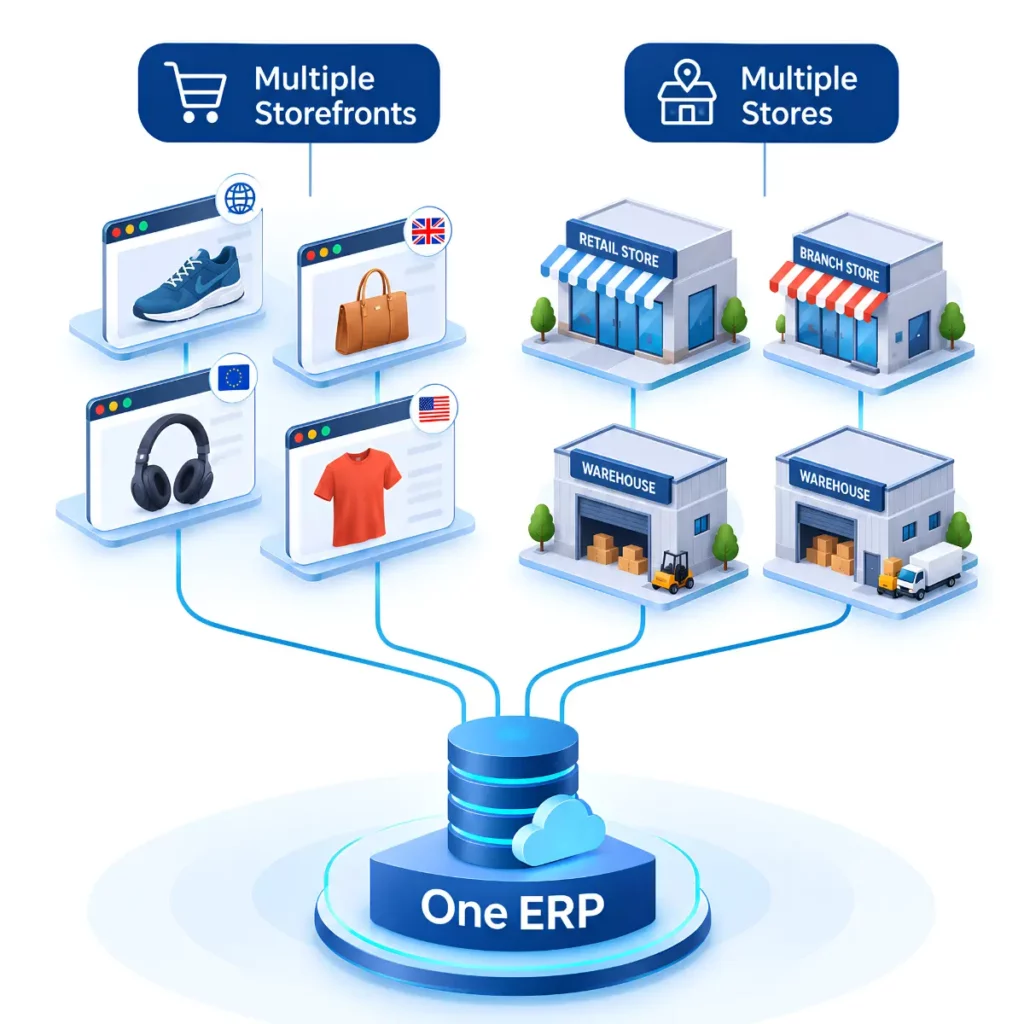
In every case the ERP stays single. The question is how each site maps into it. The version we see most often is multiple Shopify stores, one ERP: a consumer store and a wholesale store, or one store per country, all fed from the same item master.
Mapping each storefront to the ERP
Every storefront needs four answers from the ERP side. Get these written down before anyone builds anything.
| Storefront decision | What it controls | Example |
|---|---|---|
| Which ERP company or subsidiary | Where its orders and revenue post | UK site posts to the UK company; US site to the US company |
| Which currency | Prices shown and the currency the order is booked in | EUR site books in EUR, not converted from USD |
| Which price list or price book | What each visitor pays | Consumer site uses retail list; trade site uses customer-specific price books |
| Which warehouse(s) or locations feed stock | What “in stock” means on that site | Trade site sells from the central DC only; consumer site also shows store stock |
The platforms handle this at different levels, and the ERP side matters as much as the storefront side.
- Business Central: Microsoft’s Shopify connector supports multiple Shopify shops. Each shop can have its own product assortment, inventory locations, and price configuration, with the ERP mapping those rules to the appropriate company, locations, and price lists.
- Adobe Commerce or Magento: Multi-Source Inventory (MSI) groups physical sources into stocks, and each stock serves one or more sales channels. That’s how different websites see different stock pools.
- BigCommerce: supports more than one storefront channel on one account.
Publishing one ERP catalog to several sites
The clean pattern is one product master in the ERP, with a rule that decides which products go to which storefront. Instead of three catalogs, you maintain one catalog and three publishing rules. Our multi-brand store management use case shows the pattern.
Illustrative example. A multi-brand wholesale distributor runs Dynamics 365 Finance & Operations with several Shopify Plus storefronts, one per brand plus a trade site. Every product lives once in F&O. A flag on each item decides which sites it publishes to, and each site gets its own price list and currency. Adding a brand means adding a storefront mapping, not a second catalog.
What changes when you also have physical stores
A storefront never takes cash, never counts a shelf, and never has its internet drop mid-sale. A store does all three. Once registers enter the picture, the data map grows to include end-of-day totals, tenders, store transfers, receiving, cycle counts, and offline selling. You also add a new competitor for the title of “owner of stock”: the point of sale.
What changes when you go from one location to several, and why do you end up updating three systems?
With one location, “in stock” has one meaning and every sale posts the same way. With several, each question picks up a location: which store has it, can I collect it today, does this price apply at this branch, and which store does this sale belong to. Each of those needs a system that owns the answer.
Here is what the questions sound like before and after.
| With one location | With several locations |
|---|---|
| Is it in stock? | Is it in stock at the Main Street store, right now, and not already promised to someone? |
| What does it cost? | What does it cost at this register, for this customer, with this week’s promo? |
| Who is this customer? | Is this the same customer who bought online, and what’s their loyalty balance or account limit? |
| What did we sell today? | What did each store sell, in which tenders, with which returns, and has it posted? |
| Where did that stock go? | Was it sold, transferred to another store, received short, or counted wrong? |
The second column is why “adding a new sales channel means we update three systems” shows up in so many inquiries. Without a design, each new location adds another place where those answers can drift. With a design, each location is a row in a mapping table. That’s the real shift in multi-store inventory management: it stops being a stock count and becomes a set of decisions about who has an item, who promised it, and where it’s going.
This is also why multi-store isn’t only for big retailers. The trigger is store #2 plus a website, not company size. A business with two shops and a Shopify site has every question in the right-hand column. It just has fewer rows.
What data syncs between POS and ERP, the website, and your stores?
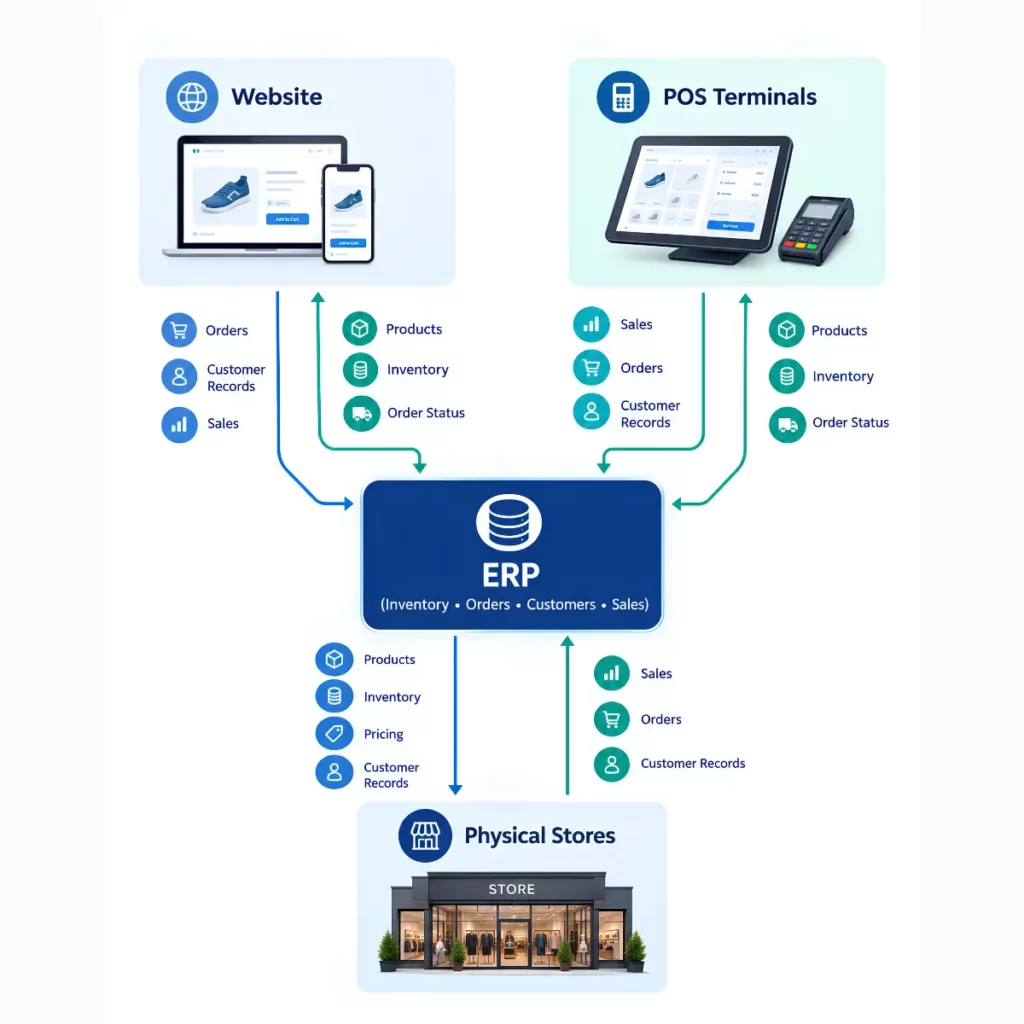
Around twenty kinds of data move between the ERP, the website, and the stores:
- Master data (products, prices, customers) usually flows out from the ERP.
- Transactions (web orders, POS sales, returns, tenders) flow back in.
- Stock flows both ways.
Each data type needs an owner, a direction, and a timing that fits how it’s used.
The table below is the default we start from. “Usually owned by” assumes the ERP is the back office. In Setup B, the POS platform owns more rows. In Setup A, the ERP’s retail layer owns them. Use the table as a checklist, then change the owner column on purpose where your setup differs.
| Data | Usually owned by | Direction | Timing | Watch out for |
|---|---|---|---|---|
| Products and catalog | ERP | ERP to website and POS | Scheduled (hourly or daily) | Web-only content (images, copy) often lives on the platform; decide which fields the ERP overwrites |
| Variants and barcodes | ERP | ERP to website and POS | Scheduled | A barcode that exists in the POS but not the ERP means a sale nobody can post |
| List prices | ERP | ERP to website and POS | Scheduled, plus on change | Rounding and tax-inclusive vs tax-exclusive prices across countries |
| Customer-specific prices | ERP | ERP to website and branch counter | Real-time price at checkout, or synced price books | Counter and web must show the same account price |
| Promotions | ERP or POS/platform (pick one) | Owner to the other channels | Scheduled before start date | Promos built in two places drift within a week |
| Stock by location | ERP or POS (pick one per location) | Both ways | Near-real-time stock updates | Publish sellable inventory, not on-hand |
| Reservations (BOPIS pickup) | Website or order system | Website to ERP and store | Near-real-time reservation updates | A reservation that doesn’t reduce sellable stock becomes an oversell |
| Customers | ERP for accounts; platform for consumer sign-ups | Both ways | Scheduled, plus on create | Duplicate customers when the same person buys online and in store |
| Loyalty balances | One loyalty system | Owner to website and POS | Near-real-time balance updates | Points earned in store must be spendable online the same day |
| Gift cards and store credit | One system (often the POS or platform) | Owner to the others; liability to ERP | Real-time balance; scheduled accounting entries | Outstanding balances are a liability finance has to see |
| Web orders | Website | Website to ERP | Real-time order sync, or every few minutes | Ship-from-store orders need the store’s location, not the DC’s |
| POS sales | POS | POS to ERP | Scheduled (per sale or daily summary) | Posting every sale as a full order floods the ERP |
| Returns and refunds | Channel where the return happens | To ERP, linked to the original order | Real-time stock update; scheduled finance posting | BORIS (buy online, return in store) touches two channels |
| Tenders and payments | POS and payment provider | POS to ERP | Daily | Card, cash, gift card, and charge to account each post differently |
| End-of-day totals | POS | POS to ERP | Daily | End-of-day reconciliation needs an account for cash over/short and a named owner |
| Store transfers | ERP | ERP to POS; receipt back | Scheduled | Stock in transit is not sellable at either store |
| Receiving | ERP (purchase orders) | ERP to store; receipt back | On event | Short receipts must update sellable stock before the website sells it |
| Cycle counts | ERP or POS (pick one) | Store to owner | On event | A count posted twice, or posted against moving stock, corrupts on-hand |
| Tax | Tax engine or ERP | To website and POS | Scheduled rate updates; real-time tax calculation | Store sales are taxed where the store is; shipped orders often where they go |
Two patterns are worth pointing out. First, nearly every row that causes customer-facing pain is a stock or price row. Second, nearly every row that causes finance pain is a transaction row. That split is why the operations team and the finance team often describe the same broken integration in completely different words.
The store data that gets forgotten
Website integrations are usually scoped around products, stock, customers, and orders. Store integrations need more, and the extra rows are the ones that get missed in scoping:
- tenders
- cash drawer totals and over/short
- gift cards and store credit
- store-to-store transfers
- receiving against purchase orders
- cycle counts
None of them appear on a website. All of them change either stock or the general ledger.
If a proposal you’re reading doesn’t mention them, ask where they go. Often the honest answer is “they stay in the POS and someone keys a summary into the ERP”, which is exactly the manual work you’re trying to remove. How store sales, tenders, and end-of-day reconciliation should post is covered in our guide to posting store sales to the ERP.
How do you get one source of truth for stock, price, customer, and the sale?
Give each of the four one owner, chosen on purpose: sellable stock by location, the price at the register, the customer and their loyalty or account, and the sale as a financial record. The owner is where the answer is calculated. Every other system reads it or reports to it. Two owners for one thing is where disagreement starts.
This is the core of the whole guide. When your website, your registers, and your ERP disagree, the customer finds out first. Give each thing one owner, and they stop disagreeing.
Stock. The owner calculates sellable inventory per location. It starts from on-hand inventory and accounts for reservations, safety stock, holds, in-transit inventory, and any other allocation rules the business defines. Raw on-hand is not the answer.
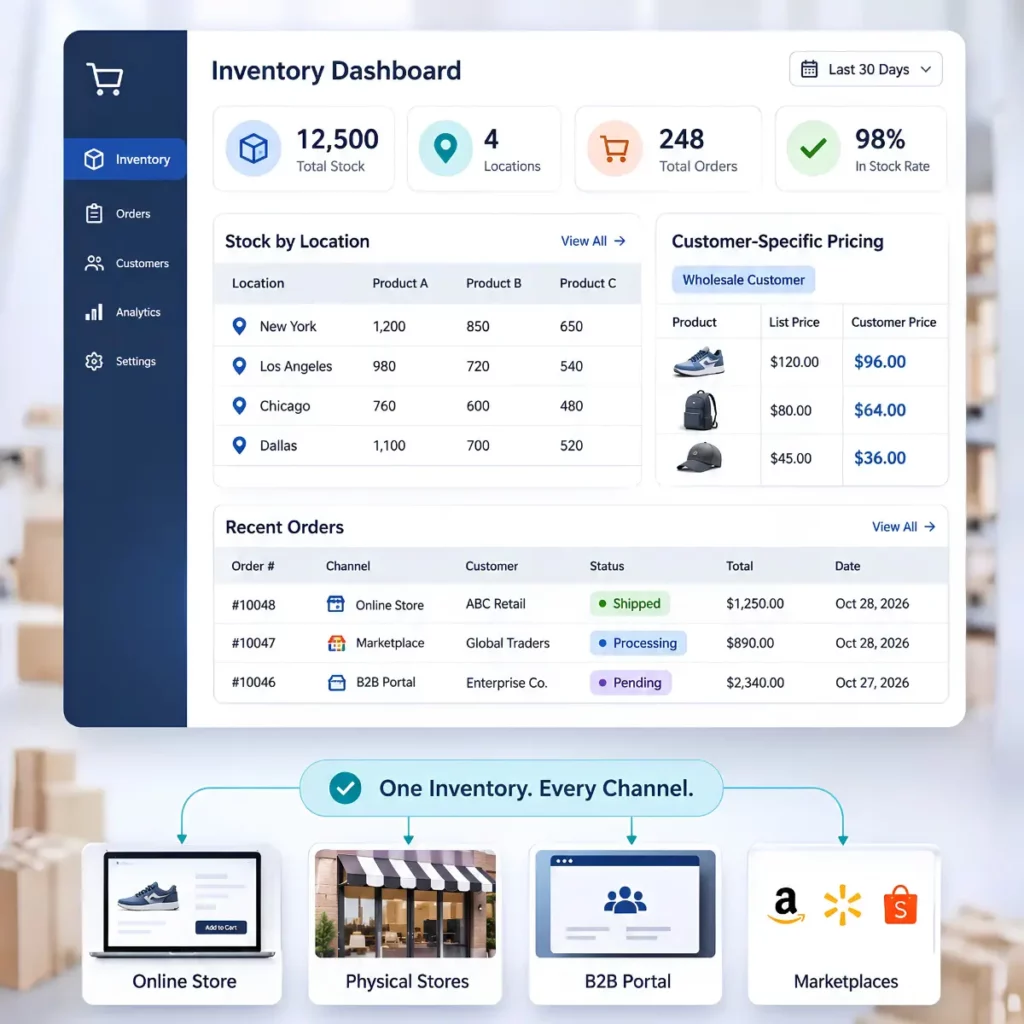
Teams often ask whether the POS or ERP should be the system of record for inventory. Either can work. Pick one per location and make every other system read from it. The question to ask: when a register sells the last unit, which system knows first, and how fast does the website hear about it? If the answer is “tonight’s batch”, your store and online inventory sync is too slow, and you will oversell. Our guide to real-time inventory by location covers stock, pickup, and returns in depth.
Price. The owner calculates what this customer pays, at this location, today, including promotions. The question: if marketing changes a promo at 9 a.m., where do they change it, and does every register and the website have it by opening? If promos are built in two places, the answer is no. Distributors have a harder version: the account customer at the branch counter must pay the same negotiated price they see when they log in online.
Customer. The owner holds one identity per person or account, plus loyalty balance or trade terms. The question: if someone buys online and returns in store, does the store see the same customer, and the same points? Without one owner, you get duplicates and loyalty balances that only work in one channel.
The sale. The owner decides how a sale becomes a financial record: what posts, when, and in how much detail. The question: can finance see yesterday’s sales, tenders, and returns for every store without calling anyone? For many businesses the POS keeps line detail and the ERP gets a daily summary per store. Make that choice on purpose.
The four setups in the next section are really just four common ways of answering these four questions.
What are the four multi-store setups, and which stacks use each?
Most multi-store businesses land in one of four setups. A: the ERP runs the stores through its own retail layer. B: Shopify runs the stores and the ERP is the back office. C: a separate POS sits in the middle. D: an order management system orchestrates fulfillment. None is right for everyone; each breaks in a predictable place.
| Setup | Who owns store truth | Typical stacks | Where it breaks if designed badly |
|---|---|---|---|
| A. The ERP runs the stores | The ERP’s own retail/POS layer | D365 F&O + Dynamics 365 Commerce (Store Commerce, Commerce Scale Unit); Business Central + LS Central; NetSuite + SuiteCommerce InStore or NetSuite POS (retiring Jan 2029) | The website connects to the ERP’s data, not its retail engine, so web and store calculate prices and stock differently |
| B. Shopify runs the stores | Shopify (online store + Shopify POS + locations); the ERP is the finance and supply-chain back office | Shopify Plus + POS with NetSuite, Business Central, F&O, or SAP B1 | ERP pricing and trade terms don’t reach the register; every POS sale posts as a full order and floods the ERP; transfers and receiving live in two places |
| C. A separate POS sits in the middle | A standalone POS product | Adobe Commerce/Magento or BigCommerce (neither has a built-in POS), with any ERP; also NetSuite businesses replacing their POS | Three systems, three stock numbers, and nobody decided which one is master |
| D. An OMS orchestrates fulfillment | A separate order management system routes fulfillment | Larger multi-region operations | Adds a fourth system; overkill below a certain scale |
Setup A: The ERP runs the stores
The registers are part of the ERP family, so store stock, store prices, and store sales are native. The risk is on the website side. If the website reads the ERP’s tables but not the retail engine that calculates store prices and promos, the website and the register do the same maths two different ways. On F&O, that’s exactly what Commerce Scale Unit exists to solve, and our Commerce Scale Unit explainer covers it in depth.
Setup B: Shopify runs the stores
Shopify owns the online store, the POS, and location-level inventory. The ERP stays the back office for purchasing, finance, and often the master catalog. This works well for consumer retail with simple pricing. It strains in three situations:
- The ERP holds customer-specific prices or trade terms the register can’t see.
- Every POS sale is pushed into the ERP as its own order.
- Transfers and receiving are done in both systems.
Setup C: A separate POS sits in the middle
Adobe Commerce, Magento, and BigCommerce don’t ship a POS, so their merchants pick one. NetSuite customers replacing NetSuite’s retiring POS end up here too. The POS product can be excellent. The problem is structural. The ERP, the website, and the POS each hold a stock number. Unless someone decides which one is master for each location, all three are wrong some of the time.
Setup D: An OMS orchestrates fulfillment
An order management system sits between channels and fulfillment locations and decides where each order should be fulfilled, including ship from store. It earns its place when you have many regions, fulfillment nodes, or routing rules that are too complex for the storefront or ERP alone. It can complement the other setups rather than replace them, but it adds another system that must be kept in sync.
The multi-store integration architecture guide goes deeper on choosing between these setups, including who owns price, promotions, loyalty, and counter pricing in each.
How do Shopify, Adobe Commerce, and BigCommerce handle physical stores?
Of Shopify, Adobe Commerce, and BigCommerce, only Shopify ships its own POS, so Shopify merchants usually land in Setup B. Adobe Commerce, Magento, and BigCommerce merchants pick a third-party POS, which puts them in Setup C. The platform also decides how store stock is modelled and how much store logic you build around it.
Comparison as of 2026:
| Platform | Native POS? | How store stock is modelled | Pickup notes | Usually leads to |
|---|---|---|---|---|
| Shopify / Shopify Plus | Yes, Shopify POS | Each store or warehouse is a location with its own ID; the ERP maps its locations to those IDs | Stores are usually set lower in fulfillment priority than warehouses so web orders use warehouse stock first | Setup B (or C if stores run a different POS) |
| Adobe Commerce / Magento | No; stores use a third-party POS | Multi-Source Inventory (MSI): stores and warehouses are sources, aggregated into stocks that serve sales channels | Depends on the POS and extensions chosen | Setup C |
| BigCommerce | No; connects to partner POS products | Inventory by location | Native BOPIS APIs support pickup on a single storefront channel and don’t support in-store stock transfers | Setup C |
Shopify and Shopify Plus
Shopify gives you the online store, the registers, and multi-location inventory in one platform. Each location has an ID. The integration’s job is to map each ERP warehouse or store to the right one, then keep sellable stock per location in step.
A common pattern is to set stores lower in fulfillment priority than warehouses, so online orders don’t strip the shop floor. If some stores run a different POS, that POS needs its own integration to deduct stock from the right Shopify location. Otherwise Shopify thinks the shelf is still full.
Our multi-location inventory use case shows how ERP stock maps to those locations. See our Shopify NetSuite integration and Shopify Business Central integration pages for stack-specific detail.
Adobe Commerce and Magento
Neither Magento Open Source nor Adobe Commerce ships a built-in POS, so stores run a third-party POS. What Magento does well is the inventory model. Multi-source inventory treats each physical place (a warehouse, a store) as a source, then groups sources into stocks that serve sales channels.
An ERP can update source quantities directly, which maps cleanly onto per-store stock. The open question is always which system the POS reports to. See our Adobe Commerce Business Central integration and Adobe Commerce SAP Business One integration pages.
BigCommerce
BigCommerce has no built-in POS and connects to partner POS products. Two limits matter for stores. Its native Buy Online, Pick Up in Store (BOPIS) APIs currently support pickup on a single storefront channel. They also don’t support in-store stock transfers.
If you run several storefronts with pickup, or you move stock between stores to fill pickup orders, plan for that logic to live in the ERP or the integration. See our BigCommerce NetSuite integration page.
Where Dynamics 365 Commerce fits
Dynamics 365 Commerce sometimes appears on shortlists next to these three, but it plays a different role. It’s Microsoft’s retail layer on top of Dynamics 365 Finance & Operations. Stores run through Store Commerce POS, with Commerce Scale Unit exposing real-time retail services. It doesn’t pair with NetSuite or SAP Business One.
If you’re on F&O and run stores this way, you’re in Setup A, and the website question becomes how your storefront talks to the Commerce layer. Our comparison of OData and Commerce Scale Unit covers that in detail.
How do NetSuite, Dynamics 365, and SAP Business One differ for stores?
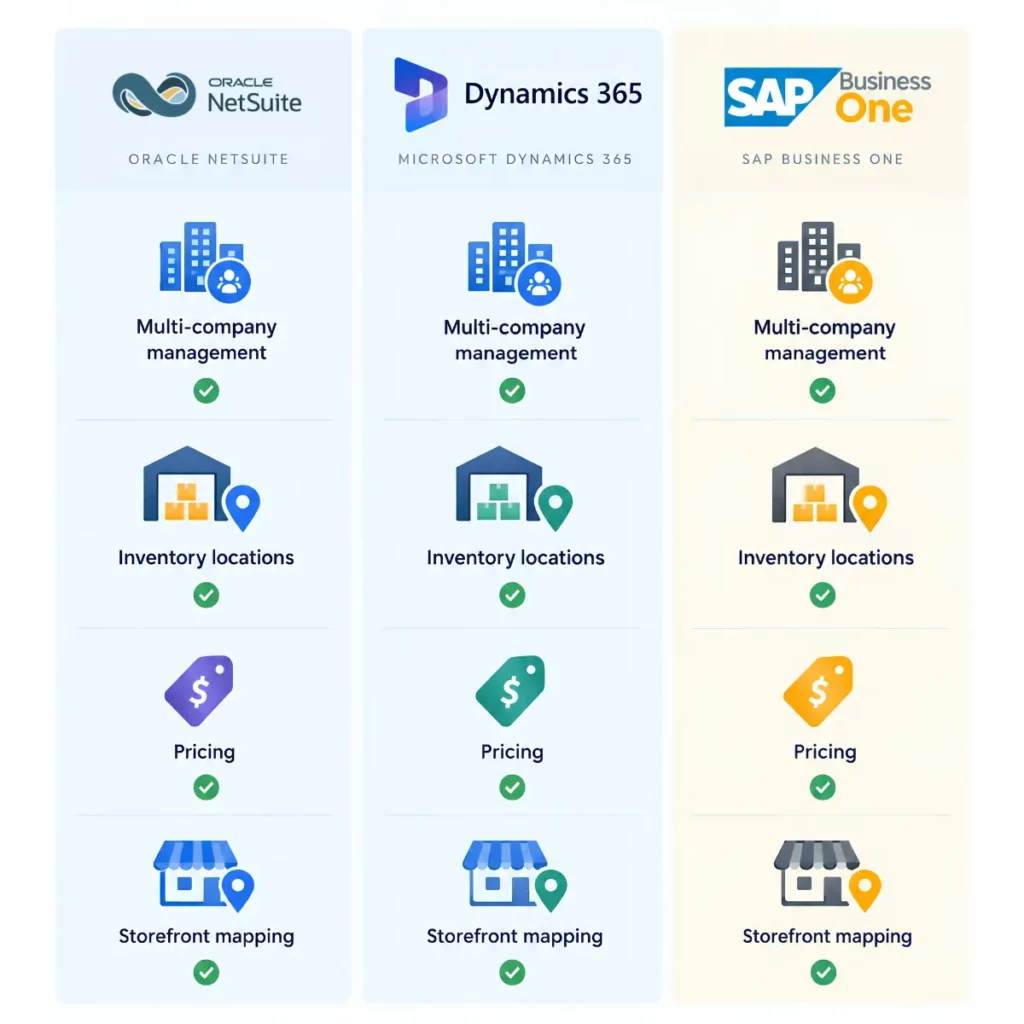
ERP POS integration looks different on each ERP. NetSuite’s own POS products are retiring, so NetSuite retailers are choosing a new POS. Business Central runs stores through LS Central or sits behind Shopify POS. F&O uses Dynamics 365 Commerce. SAP Business One handles multiple warehouses well but relies on partner or third-party POS products for the register.
NetSuite
NetSuite’s own POS products, SuiteCommerce InStore (SCIS) and NetSuite POS (NSPOS), are being retired:
- End of life was announced in February 2026.
- Support ends 31 January 2029.
- They’re no longer licensed to new customers.
- There’s no native replacement.
That moves NetSuite retailers from Setup A to Setup B or C. NetSuite itself is flexible here. One account can run different POS systems in different stores, each mapped to its own location. POS sales typically land as either a Cash Sale or a Sales Order, depending on whether NetSuite has to handle a fulfillment step such as BOPIS or ship from store. See our Adobe Commerce NetSuite integration page.
Dynamics 365 Business Central and Finance & Operations
Business Central has two common store paths:
- LS Central: POS, store operations, loyalty, and retail inventory sit in the same database as BC, and the POS can keep selling offline and resync.
- Shopify POS: Microsoft’s Shopify connector can import Shopify POS orders into BC.
F&O runs stores on Dynamics 365 Commerce. See our Adobe Commerce and Dynamics 365 F&O integration page and the seven CSU retail scenarios.
Businesses still on Dynamics GP have a deadline too. Product support ends 31 December 2029, with security patches until 30 April 2031, and moving stores is part of that migration.
SAP Business One
B1 supports multiple warehouses and transfers between them, which maps well to one warehouse per store. Store POS usually comes from partner add-ons or third-party POS products that post sales into B1, rather than a built-in B1 POS.
Storefront designs commonly map stock per warehouse with safety buffers, and route each storefront to the right company, currency, and price list. See our Shopify SAP Business One integration page.
What needs real-time stock and price, and what’s fine on a schedule?
Anything a customer acts on at checkout needs close-to-real-time data: stock at checkout, price at checkout, pickup reservations, and loyalty balances. Everything finance or merchandising acts on later is fine on a schedule: catalog, customer master, financial posting, and bulk price updates. Making every data flow real-time adds load and failure points without helping anyone.
“Everything has to be real-time” is one of the most expensive misconceptions in multi-store projects. Real-time stock matters. A real-time general ledger entry for every coffee sold at a register usually doesn’t.
| Near-real-time sync (seconds to a few minutes) | Scheduled (hourly, nightly, or end of day) |
|---|---|
| Sellable stock by location at checkout | Catalog and product content |
| Price at checkout, including customer-specific prices | Customer master updates |
| BOPIS pickup reservations | Financial posting of store sales |
| Loyalty balance and gift card balance | Bulk price list updates (ahead of their start date) |
| Web order into the ERP when a store fulfills it (pickup or ship from store) | Tender and end-of-day reconciliation |
Omnichannel inventory only works when the left-hand column is fast. A customer can’t see a store’s real stock if that store’s sales reach the website hours later.
Two practical notes. First, near-real-time sync is a target you write down, in seconds or minutes. One of the F&O builds in our CSU series set a 10-second target for stock updates, because a large share of its sales came through a call center that quoted stock live.
Second, scheduled is often better for financial data. A nightly summary that posts once and cleanly is easier to reconcile than thousands of individual postings, some of which arrived twice.
How is a distributor with branch counters different from a retail chain?
A retail store mostly sells to anonymous consumers at list or promo price, paid on the spot. A distributor branch mostly sells to known account customers at negotiated prices, often charged to account on net terms, with will-call pickup of orders placed online or by phone. Same integration questions, different owners and different failure points.
| Retail chain store | Distributor branch or trade counter | |
|---|---|---|
| Typical buyer | Consumer, often anonymous | Account customer, identified at the counter |
| Price | List price plus promotions | Customer-specific price books, tiered pricing, contract prices |
| Payment | Card, cash, gift card | Charge to account on net terms, plus card for cash customers |
| Pickup | Buy online, pick up in store (BOPIS) | Will-call: order online or by phone, collect at the branch |
| Biggest risk | Overselling stock the website promised | Counter price not matching the web price for the same account |
The distributor version of the core problem sounds like this: “Our B2B customers are calling us to get their prices.” The fix sits upstream of the website. The account price has to come from one owner, usually the ERP, and both the web store and the branch counter have to read it. Otherwise a contractor sees one price on his phone and another at the counter, and he calls his rep about it.
Illustrative example. A building-supply distributor runs Business Central with eight branches and a B2B web store. A contractor logs in, places a will-call order at his account price, and collects it at the branch the next morning. That only works if the web store, the counter, and BC agree on three things: his price, his credit limit, and which branch’s stock the order was reserved against.
“B2B pricing is an online problem” is a misconception for exactly this reason. Branch counters sell to the same account customers. The multi-store integration architecture guide covers counter pricing and charge to account in depth. Our customer-specific pricing use case shows how account prices reach the website.
What happens when a store loses its internet connection?
The store has to keep selling. A well-designed setup lets the POS take sales offline, queue them locally, and resync when the connection returns, with each sale carrying a unique ID so nothing posts twice. Meanwhile the website should treat that store’s stock as less certain until the queue clears.
“Store Wi-Fi is reliable enough” is a misconception that usually gets corrected on a Saturday in December. Offline POS sync comes down to three things to design for:
- Queue and resync. The POS stores sales locally and sends them in order when the connection returns. Some ERP retail layers handle this natively; LS Central’s POS, for example, can keep selling offline and resync.
- No double counting. Every sale and return carries an ID the integration checks before posting. A retried message that arrives twice should be recognised, not posted twice.
- Honest stock online. While a store is offline, its sales aren’t reaching the stock owner. Lower that store’s published stock, or hide pickup from it, until it reconnects.
How do you connect multiple stores to ERP so store #7 is setup, not a new project?
Run every store through one integration, treat each new store as a mapped location with shared rules, document the field mapping once, and give monitoring a named owner. Then opening a store means adding a row to a mapping table and testing it, not commissioning another connector, another build, or another set of workarounds.
The opposite pattern is common. “Adding stores means adding connectors” feels natural, and it’s how sprawl starts. Each store gets its own feed, its own quirks, and its own person who knows how it works. By store #10, nobody can change a pricing rule without breaking something.
What “built so store #20 is as easy as store #2” looks like in practice:
- One integration. Every store, the website, and the ERP run through the same connection, not one connector per store.
- Each store is a mapped location. A store has an ERP location or warehouse, a platform location ID, a price list, a tax setup, and a posting rule. New store, new row.
- Shared rules. Sellable inventory, safety stock, posting level, and return handling are defined once and apply to every store unless a store has a documented exception.
- Documented field mapping. Burned buyers tell us the same thing: “we are not setting a clear mapping for the connector.” Write it down, keep it current, and hand it to whoever runs the integration.
- Monitoring with a named owner. Failed postings, stuck stock updates, and offline stores show up on a dashboard someone actually watches, with a person (not a team alias) responsible for fixing them.
How long it takes to add a store on a setup like this depends on the stack and the POS.
When don’t you need multi-store ERP integration yet?
If you have one physical location, one website, simple pricing, and no plans to open a second store in the next year, you don’t need a multi-store design. A standard connection between your ERP and your online store will do. Come back when store #2, branch pickup, or a second storefront is on the calendar.
That’s not false modesty. Designing for twenty stores when you have one adds cost and complexity you won’t use. The exceptions are worth naming, though. If you already sell to account customers at a counter, or you’re about to launch BOPIS, you’re closer to multi-store than your store count suggests.
Some cases are simply different. Franchises with separate owners, restaurants and hospitality, and large enterprises on SAP S/4HANA or Oracle Retail have their own patterns. This guide isn’t written for them.
How i95Dev helps: multiple stores, one ERP, one answer
i95Dev builds and manages the connection between your ERP, your online store, and your stores, so every channel agrees on stock, price, and sales. We’ve delivered more than 450 integrations, we work deep on the ERP side, and we own the integration after go-live instead of handing it back.
With experience across ERP, eCommerce, and integration environments, i95Dev supports integration beyond initial implementation. We help businesses monitor, maintain, and scale the connection as new stores and channels are added. Retailers often call the end state unified commerce. In practice it means the register, the website, and the ERP give the same answer.
We see the same five breakdowns in almost every multi-store project:
- stock published as on-hand
- prices built in two places
- duplicate customers
- store sales flooding the ERP
- a mapping nobody wrote down
The fix is the same three steps every time:
- Map who owns stock, price, customer, and the sale today. Usually more than one system thinks it does.
- Pick the owner for each on purpose. Base it on your setup, your stack, and what finance needs.
- Connect once. Each new store is then setup, not a build.
Two examples from our CSU retail scenarios article show Setup A on Dynamics 365 F&O. One is a multi-banner retailer with shared loyalty across banners. The other is a beverage manufacturer-distributor whose call center quoted stock live against a 10-second update target.
Not sure where you stand? If you already know your next store is coming, request an architecture review with an i95Dev integration architect.
Frequently Asked Questions
The multi-store integration series
- Multi-Store ERP Integration Guide (you are here): the whole map, the four setups, and how the platforms and ERPs compare.
- Real-time inventory by location, BOPIS, and returns: how to only promise stock you can actually hand over.
- Multi-store integration architecture: who should own stock, price, promotions, loyalty, and counter pricing.
- Posting POS sales to the ERP: daily summary vs per-sale posting, tenders, and end-of-day reconciliation.
- Multi-store POS integration for NetSuite, Dynamics 365, and SAP B1: the ERP-by-ERP comparison, including NetSuite’s POS end of life.
- Multi-store integration mistakes and the questions to ask your integration partner: what goes wrong, and how to catch it before you sign.